Play now
Bricks Puzzle Game

Bricks Puzzle Game

Developer: War Core Dev
Published: 2026-04-08
Updated: 2026-06-13

What players say

Bricks Puzzle Game is a well-made classic that is easy to start but hard to put down. The controls are responsive, and the visual feedback when rows clear is satisfying. It offers good replay value because each game is different, and the difficulty ramps up nicely. A solid choice for puzzle fans.

About this game

Game Introduction

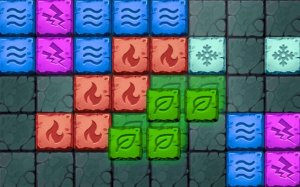
Bricks Puzzle Game is a classic stacking puzzle that challenges players to arrange falling blocks into solid rows. The objective is to guide each colorful block to the bottom of a glass container, stacking them neatly. When a complete horizontal row is formed, it clears away, earning points and freeing space. The game ends when the container fills up, so strategic planning is key. Developed by Jeff Ramos in December 2023, this HTML5 game offers a family-friendly experience suitable for ages 3 and up.

How to Play

Players control falling blocks as they descend, moving them left or right to position them above the stack. Each block can be rotated to fit gaps and create solid rows. The goal is to place blocks so that they form complete horizontal lines across the container. Once a line is filled, it disappears, and the player earns points. As the game progresses, blocks fall faster, increasing the challenge. The controls are responsive on both desktop and mobile devices, making it easy for anyone to pick up and play.

Game Features

Classic puzzle gameplay that is easy to learn. Colorful blocks that are visually appealing. Smooth controls that work on all modern browsers. Full-screen support for an immersive experience. A family-friendly design suitable for ages 3 and up. No complicated rules or timers, just pure stacking fun. The game runs on PC, mobile phones, and tablets, and includes a preview of the next block to help plan moves.

Tips for Success

Plan ahead by looking at the next block preview to decide where to place the current piece. Try to keep the stack as flat as possible to avoid creating gaps. Rotate blocks to fit them into tight spaces. Clear rows quickly to prevent the container from filling up. Practice regularly to improve your speed and accuracy. Take short breaks if you feel overwhelmed, as the game can become intense as the blocks fall faster.
Compatibility

▸ Desktop: Chrome / Edge / Firefox / Safari
▸ Mobile: iOS Safari / Android Chrome
▸ Tablet: iPadOS Safari / Android Tablet Browser
Keep your browser updated for the best experience
FAQ
Is Bricks Puzzle Game free to play?
Based on the game description, it is an HTML5 game that works on various devices. While the description does not specify pricing, many similar browser-based puzzle games are free to play. You can likely access it directly through a web browser without any upfront cost.
Can I play this game offline?
The game is described as an HTML5 game, which typically requires an internet connection to load initially. However, once loaded in a browser, some HTML5 games may be playable offline if the browser caches the files. This is not explicitly stated, so it is best to check the game's hosting page for offline capabilities.
Does the game have sound effects or music?
The game description does not mention any sound effects or music. It focuses on visual elements like colorful blocks and smooth controls. Many puzzle games of this type include basic sound effects for clearing rows, but without explicit information, it is safest to assume sound may not be a key feature.
Is there a leaderboard or high score tracking?
The description does not mention a leaderboard or high score tracking. The game tracks your current score, as indicated by the score display on the right side of the screen. However, persistent high scores or online leaderboards are not implied. The focus is on the immediate gameplay experience.
Can I pause the game?
The description does not specify a pause feature. Many puzzle games of this type include a pause option, often triggered by pressing a key like 'P' or tapping a button on the screen. Without explicit confirmation, it is possible that the game may not have a pause function, so plan your play sessions accordingly.
What happens if I make a mistake and place a block poorly?
If you place a block in a way that creates gaps or uneven stacks, it may make it harder to clear rows later. The game continues, and you must work around the imperfect placement. There is no undo feature mentioned, so careful planning is important. The increasing speed adds pressure to make quick, accurate decisions.
Advertisement

Related Picks